- Applications
- Music & Audio
Video to Audio Mp3 Converter


Images


Introduction
💎Video to Audio-Mp3 Converter
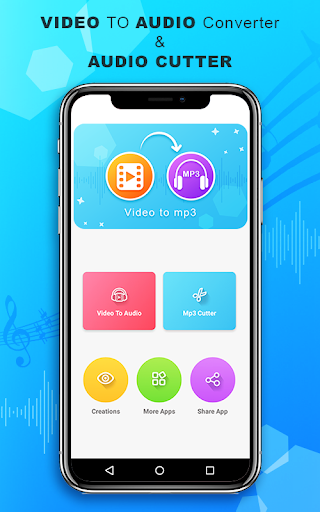
Found interesting musical videos, want to set as your ringtone, but unable to find mp3 of it? Relax, No worries! Video to Audio-Mp3 Converter is an elegant and easy to use interface that allows you to browse through your files and select the video you want to convert into MP3 with one click.
Don't waste your time in searching for the mp3 / ringtone.
You can convert ONLY videos that are in your device.
👑Key Features of the mp3 Audio converter
❤️Video To Audio converter
It is an audio extracting feature that allows you to extract the audio from any video clip that you choose from the device.
❤️Mp3 cutter Extractor
This feature helps you in trimming the audio file which you want to edit. You have an option to trim the extracted files and you can set it as a ringtone too.
Once you finish the editing or Extraction from the video you can set it as ringtone, or contact tone or notifications tone.
Newly Added Features
🎵 Audio Converter is a fast, simple, and powerful tool that lets you convert audio files into any popular format right from your Android device. Whether you’re a musician, content creator, or someone who loves organizing audio files, this app makes conversion quick and hassle-free.
🎵 Audio Equalizer is a powerful and easy-to-use sound enhancement tool designed to give you full control over your audio. You can adjust sound settings such as bass, treble, and more with precision.
🎵 Volume Booster Increase your device volume instantly with powerful audio boosting. Enjoy louder music and videos.
🎵 Voice Changer Change your voice to robot, cartoon, deep, fast, and dozens more. Record or import audio and apply effects in seconds. Simple, fun, and easy to use.
👑How to Use this audio converter
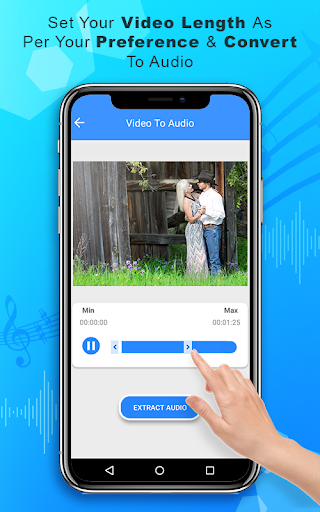
❤️ Select the video from the gallery which you to convert into mp3.
❤️ Click on the audio extract audio button.
❤️ Rename it while you save it.
❤️ Select any audio file or extracted file to trim it.
❤️ Set the exact time limit and click on Trim audio button.
❤️ Rename the file while saving it.
❤️ You can set as a mobile ring tone or notifications or a contact ring tone.
❤️ Simple mp3 converter app with simple features.
Hope you love our free video to audio mp3 converter... rate us if like us... thank you..

Related Applications





Users Also Installed







Similar Applications