
- Applications
- ابزارها
Screenshot Assistant


View the antivirus scan results
Images


Introduction
More Info
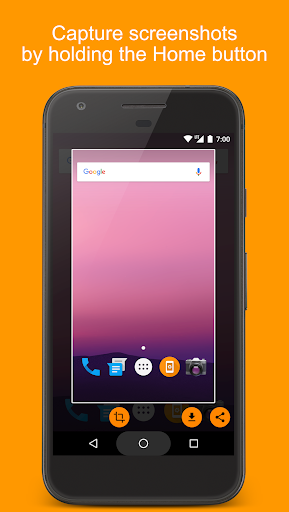
Capture screenshot by holding the Home button.
Features:
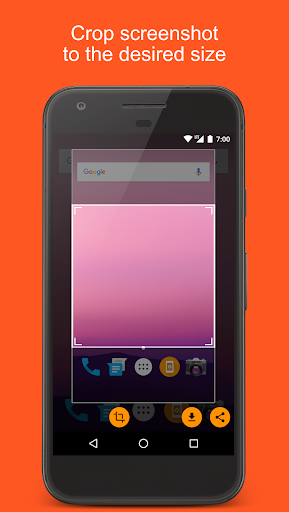
• Crop screenshot to the desired size
• Save screenshot to the device
• Share screenshot with your friends
Make sure battery optimization is disabled for Screenshot Assistant:
Huawei:
• From the Home screen navigate to Settings
• Open Advanced Settings
• Open Battery Manager
• Open Protected apps
• Activate the app protection for Screenshot Assistant by pressing on the switch from the right side
How to configure the app:
• From the Home screen navigate to Settings
• Select Apps
• Press Settings icon in the upper right corner
• Select Assist & voice input
• Press Assist app and select Screenshot Assistant
User Reviews - ۹ Rates
4.8 from 5
5
4
3
2
1

سینا
عالیه ....

امین
عالیه این برنامه

نیما
عالیه
برنامههای مرتبط









دیگران نصب کردهاند

Empty Folder Cleaner
ابزارها

Huge Digital Clock Widget
ابزارها

Kahoot! Play & Create Quizzes
آموزش

Cruise Ship Driving Simulator
شبیهسازی

Electronics Database (offline)
ابزارها

Cooking School Games for Girls
آموزش

How to draw animals by steps
سرگرمی

English grammar test offline
آموزش

Screen Lock
ابزارها

AppShut : Close apps running in background
ابزارها
برنامههای مشابه

Mint Launcher
شخصیسازی

MActive
تناسب اندام
App lock - Fingerprint
ابزارها

Flying Panther Robot Hero Game
ورزشی

Yoplala : fun motion filter and face selfie editor
عکاسی و ویدیو
Strong Legs in 30 Days
تناسب اندام

App Manager
ابزارها

BTS WAStickerApps KPOP Idol for Whatsapp
شخصیسازی
LongShot for long screenshot
ابزارها

Boys Skins For Minecraft PE
ابزارها